API and browser performance testing
your whole team can use.
Upload an OpenAPI file, chain requests without code, record what users do in your web app, and run real k6 load tests, with reports written in plain language.
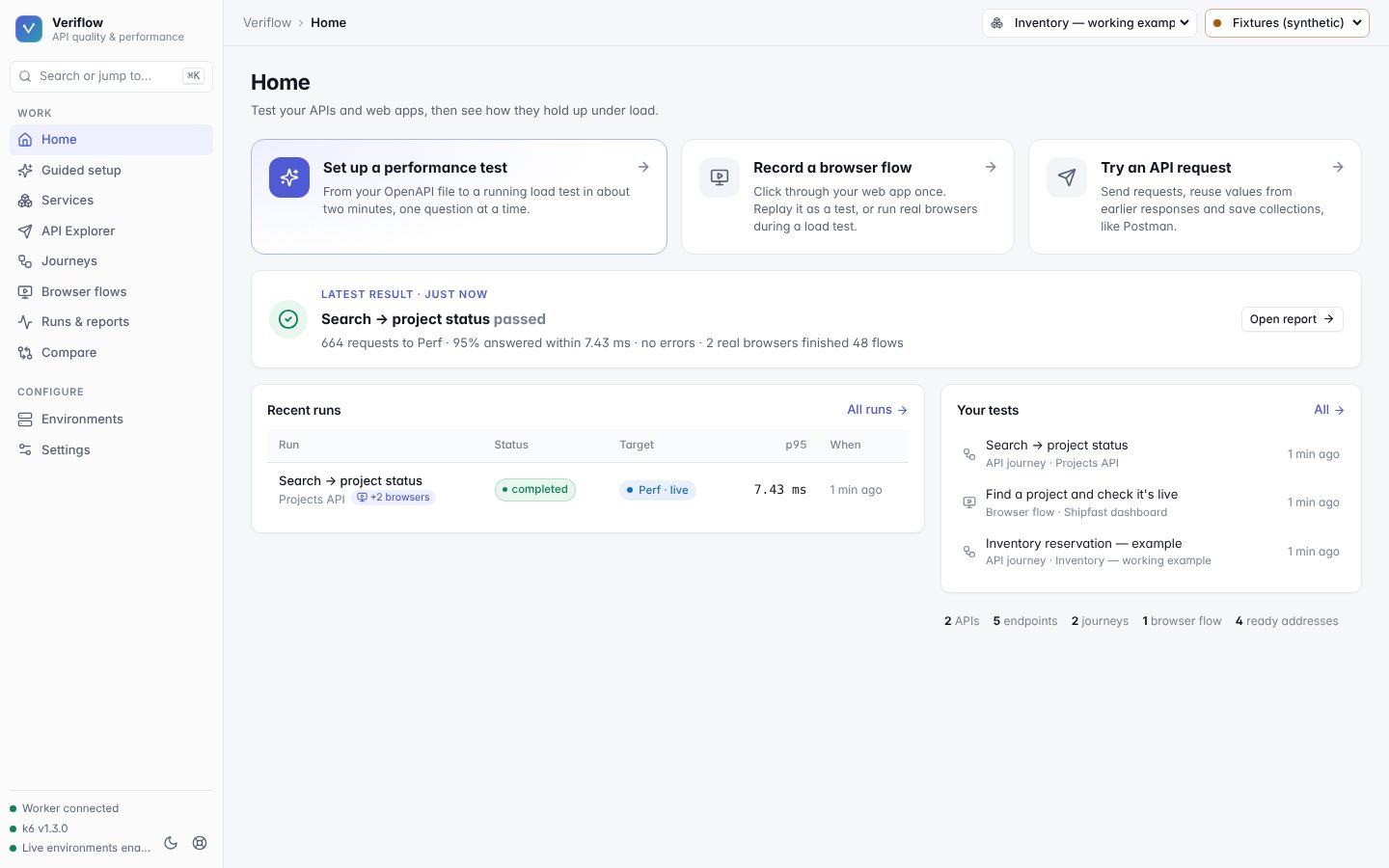
See it run
Real Veriflow screens and real k6 runs against local mock backends. The apps are made up; the numbers are not.
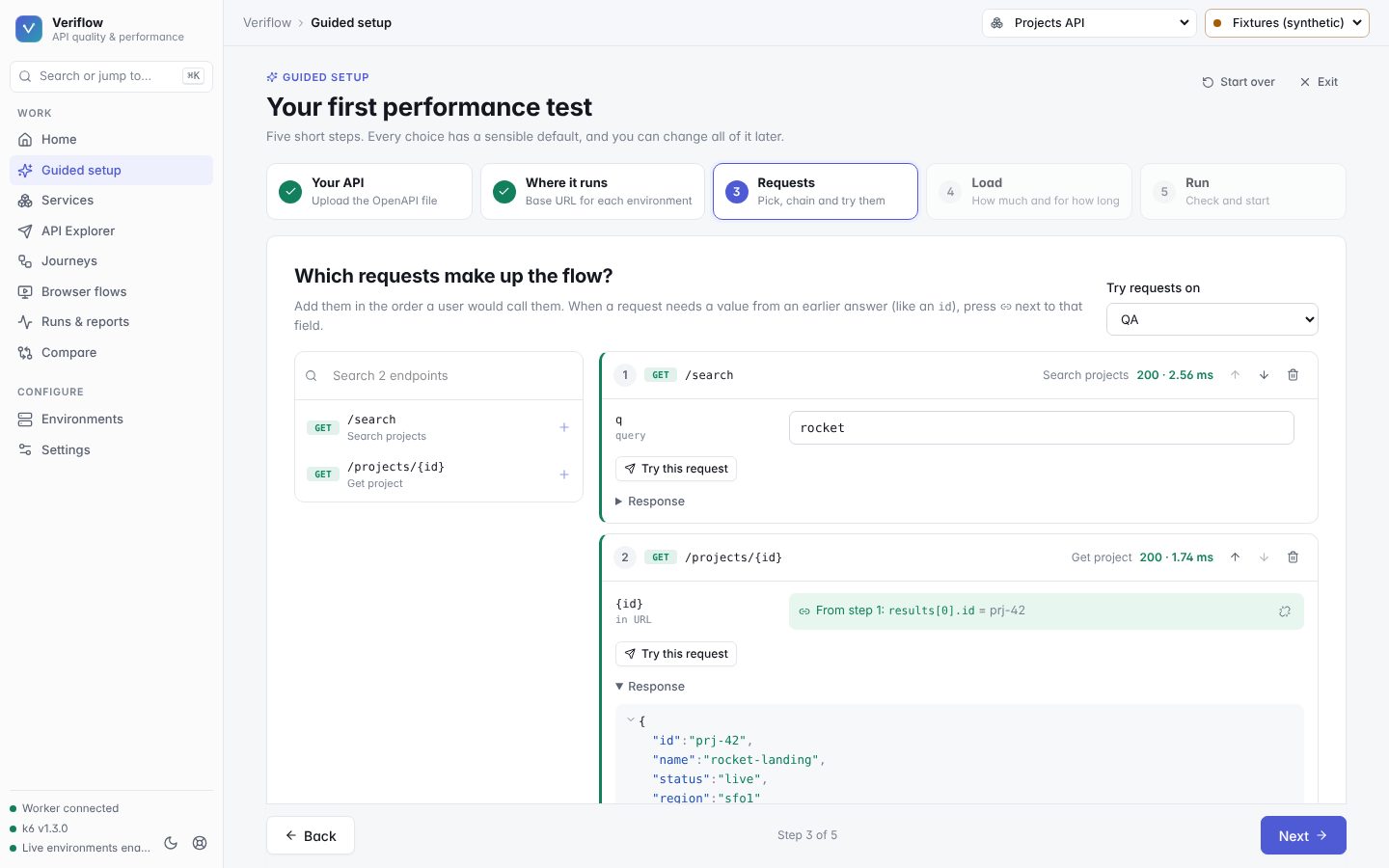
From OpenAPI file to load test in about two minutes
Guided setup asks one question per screen and fills in sensible defaults.
- 1Upload your APIOpenAPI 3 in JSON or YAML.
- 2Say where it runsA base URL per environment: QA, Perf…
- 3Pick and chain requestsValues from earlier answers are suggested.
- 4Choose the loadQuick check, steady or ramp up.
- 5Run and readA real k6 run with a plain-language report.
Everything between “does it work?” and “does it scale?”
Upload an OpenAPI file, paste a base URL, pick the requests, choose the load, run. About two minutes, no code.
Environments, variables, values captured from responses, sandboxed scripts, history and diffs. Imports Postman, Insomnia, HAR, OpenAPI and cURL.
Chain requests on a canvas or as a list, pass values between them, add checks and test data, and debug one iteration with a full waterfall.
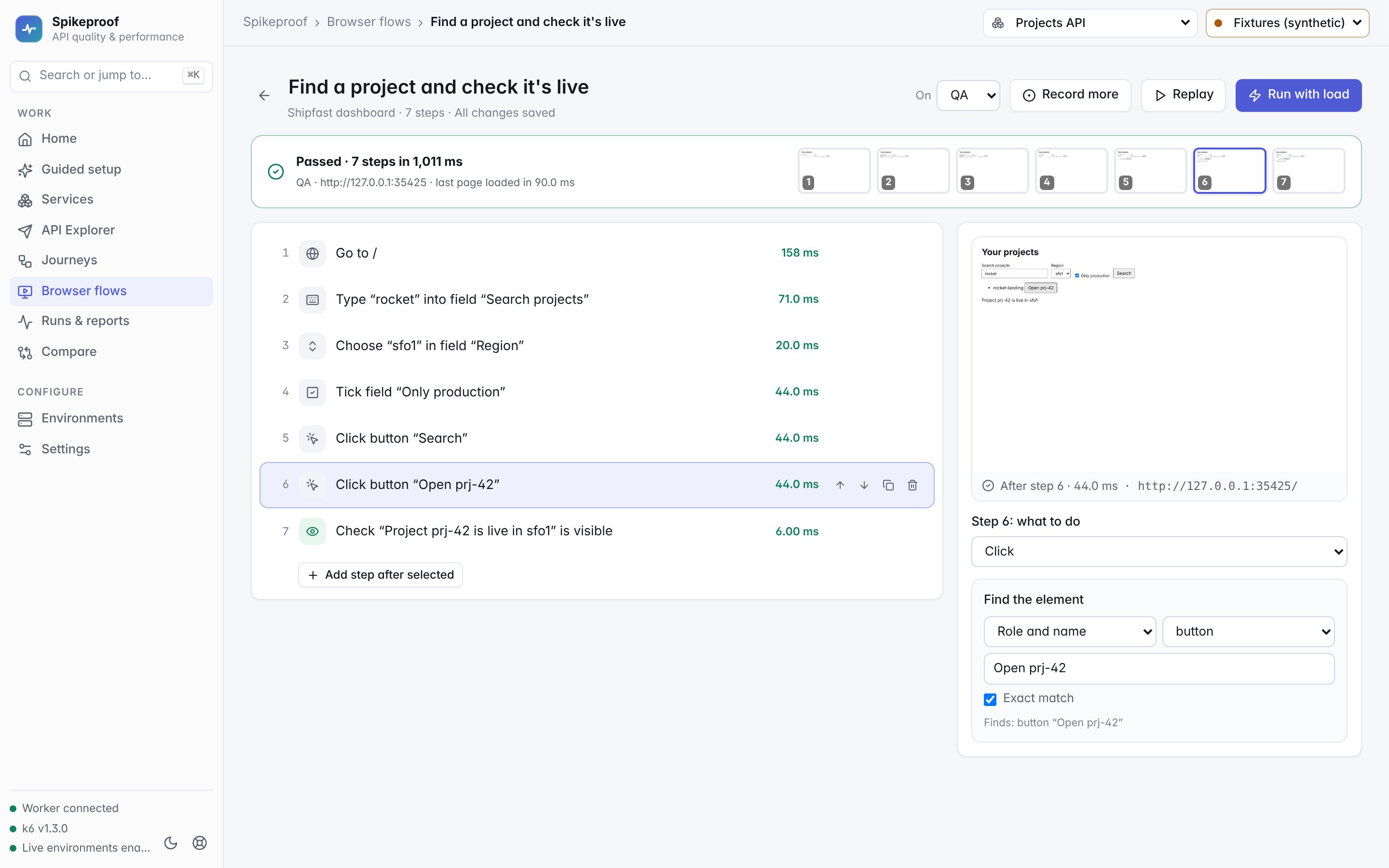
Chrome opens on your web app; every click becomes a readable step. Replay with a screenshot per step. Passwords are never stored.
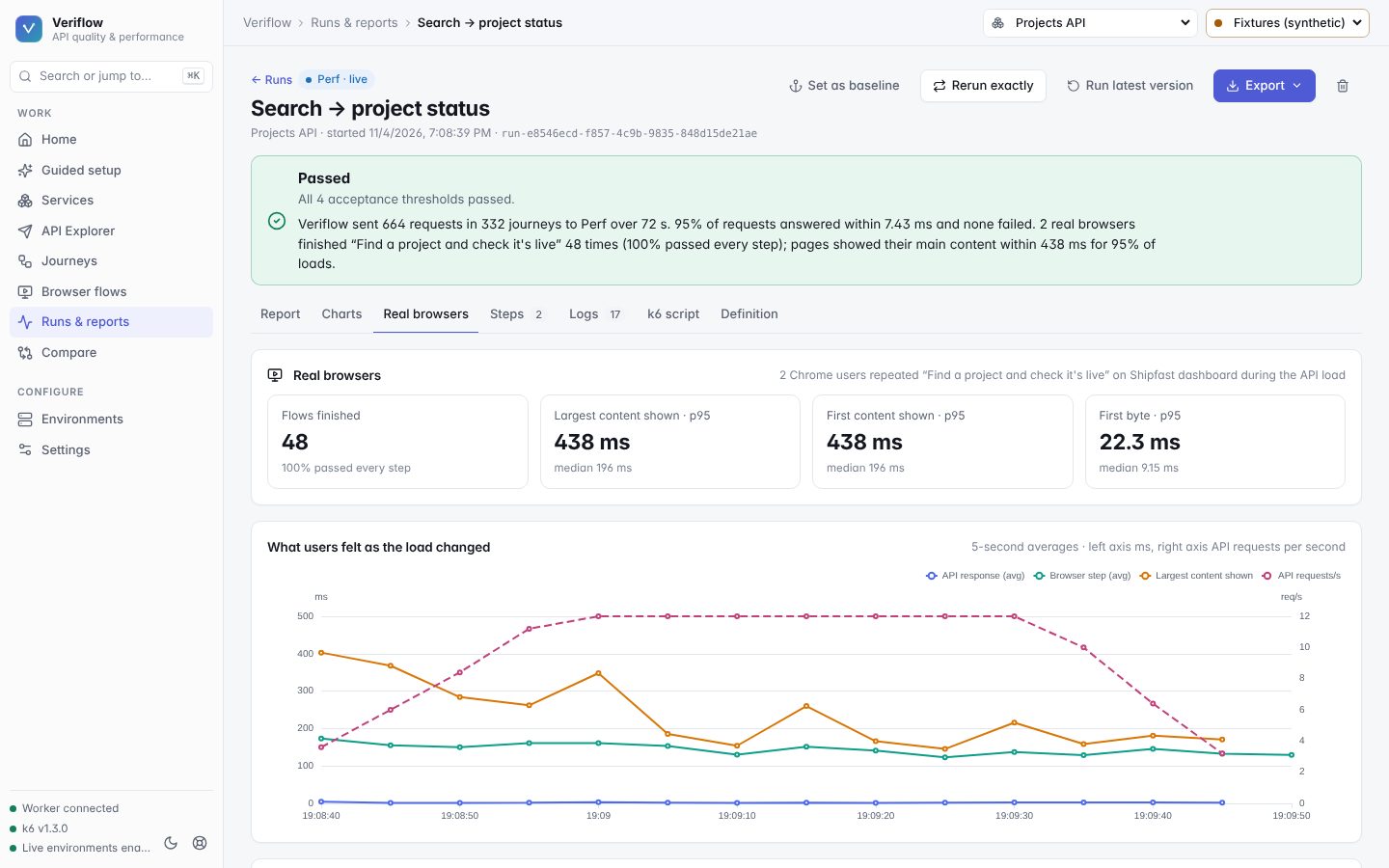
Real k6 load on your API while real browsers repeat a user flow. See page times and Web Vitals on the same timeline as API latency.
Plain-language results (“95% of requests answered within 230 ms”), baselines, comparisons, and exports to Markdown, HTML, JSON and CSV.
Safe by design
- Requests only go to base URLs you register, with relative paths. Veriflow is never an open proxy.
- Tokens and passwords stay in the environment of the machine running Veriflow. They never appear in the browser, saved files, exports or reports.
- Big loads belong in perf environments; other environments are limited to small checks.
Get started
Veriflow runs on your own computer: it starts k6 and Chrome locally and keeps your data in a folder next to the app. That is why this page is not the app itself.
You need
- Node.js 22.12 or newer
- k6 (
brew install k6orwinget install k6) - Google Chrome, for browser flows
git clone https://github.com/huntermacias/veriflow.gitcd veriflownpm cinpm run devThen open http://127.0.0.1:3000/start and follow guided setup.
Can my team share one Veriflow?
Yes, by running it on a shared internal machine (a VM or container inside your network) rather than a public host. Set VERIFLOW_CONNECTION_POLICY there so only approved base URLs can be called, and keep it behind your company sign-in. The README explains the setup.